> ## Documentation Index
> Fetch the complete documentation index at: https://docs.boothmaven.com/llms.txt
> Use this file to discover all available pages before exploring further.
# Meetings (Web)
> Track scheduled interactions, invitations, outcomes, and calendar links.
## Chapter 8: Meetings (Web)
The Meetings section tracks all scheduled interactions between your team and leads — booked on the floor, before the event, or through a public booking link.
### 8.1 The Meetings Dashboard
Navigate to **Leads → Meetings**. The grid view shows all meetings with status badge (Scheduled, Done, Rescheduled, Cancelled, No Show), title, date/time, duration, format, location, outcome, and contact(s). Use filter tabs and event/date dropdowns to narrow the view.
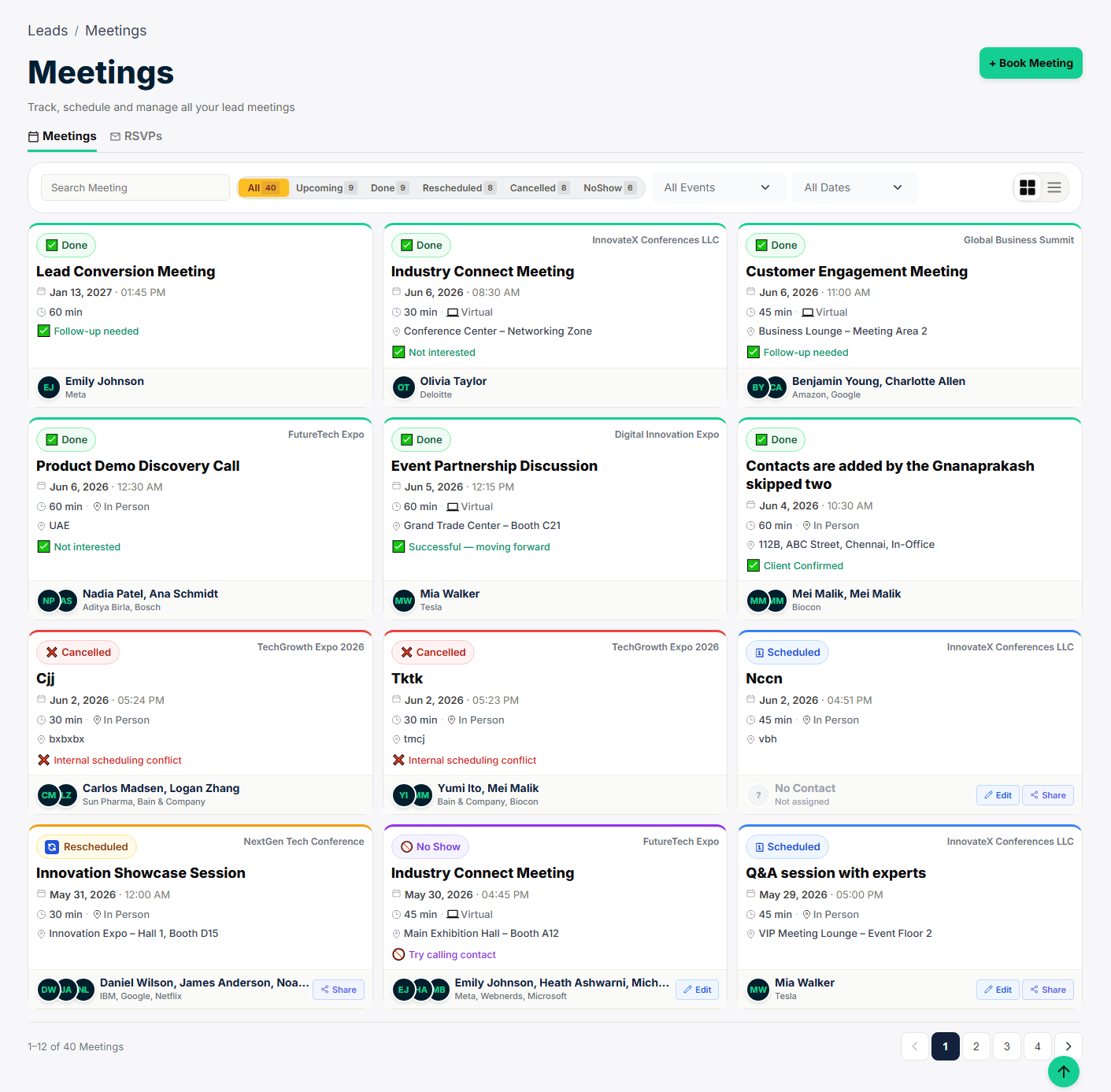 *▲ Meetings dashboard — all meetings with status, contact, and outcome details*
### 8.2 Booking a Meeting (Web)
Click **+ Book Meeting**:
1. **Meeting Title** — e.g. "Product Demo" or "Follow-up Call".
2. **Contact** — Select the contact (multiple contacts can be linked to one meeting).
3. **Date & Time** — Select the scheduled date and start time.
4. **Duration** — 15 min, 30 min, 45 min, or 60 min.
5. **Type** — In-Person or Virtual.
6. **Location** — Room, booth number, or video call link.
7. Click **Save**. A meeting invitation is emailed to the contact automatically.
*▲ Meetings dashboard — all meetings with status, contact, and outcome details*
### 8.2 Booking a Meeting (Web)
Click **+ Book Meeting**:
1. **Meeting Title** — e.g. "Product Demo" or "Follow-up Call".
2. **Contact** — Select the contact (multiple contacts can be linked to one meeting).
3. **Date & Time** — Select the scheduled date and start time.
4. **Duration** — 15 min, 30 min, 45 min, or 60 min.
5. **Type** — In-Person or Virtual.
6. **Location** — Room, booth number, or video call link.
7. Click **Save**. A meeting invitation is emailed to the contact automatically.
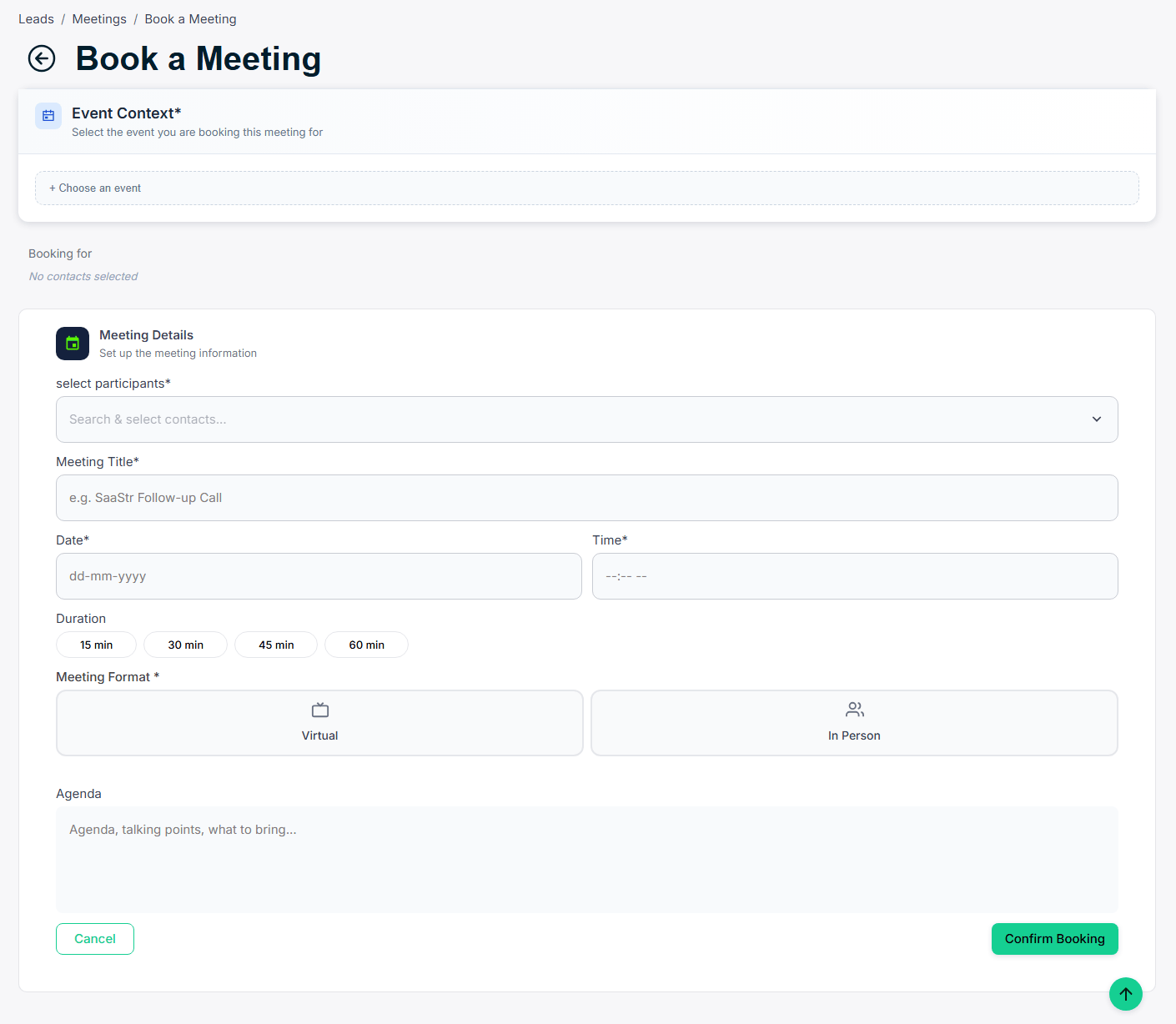 *▲ Book a Meeting form — all details in one form with automatic email invitation*
***
This documentation is built and hosted on [Mintlify](https://mintlify.com), a developer documentation platform.
*▲ Book a Meeting form — all details in one form with automatic email invitation*
***
This documentation is built and hosted on [Mintlify](https://mintlify.com), a developer documentation platform.