

Chapter 3: Managing Your Team
The Staff section manages everyone who will use BoothMaven at your events. Every person who needs to log into the mobile app or web portal must be added here first.3.1 The Staff Directory
Navigate to Event Kit → Staff. Staff cards show name, job title, email, phone, and assigned events. Filter by All, Assigned, or Unassigned. Use the All Events dropdown to filter by a specific event.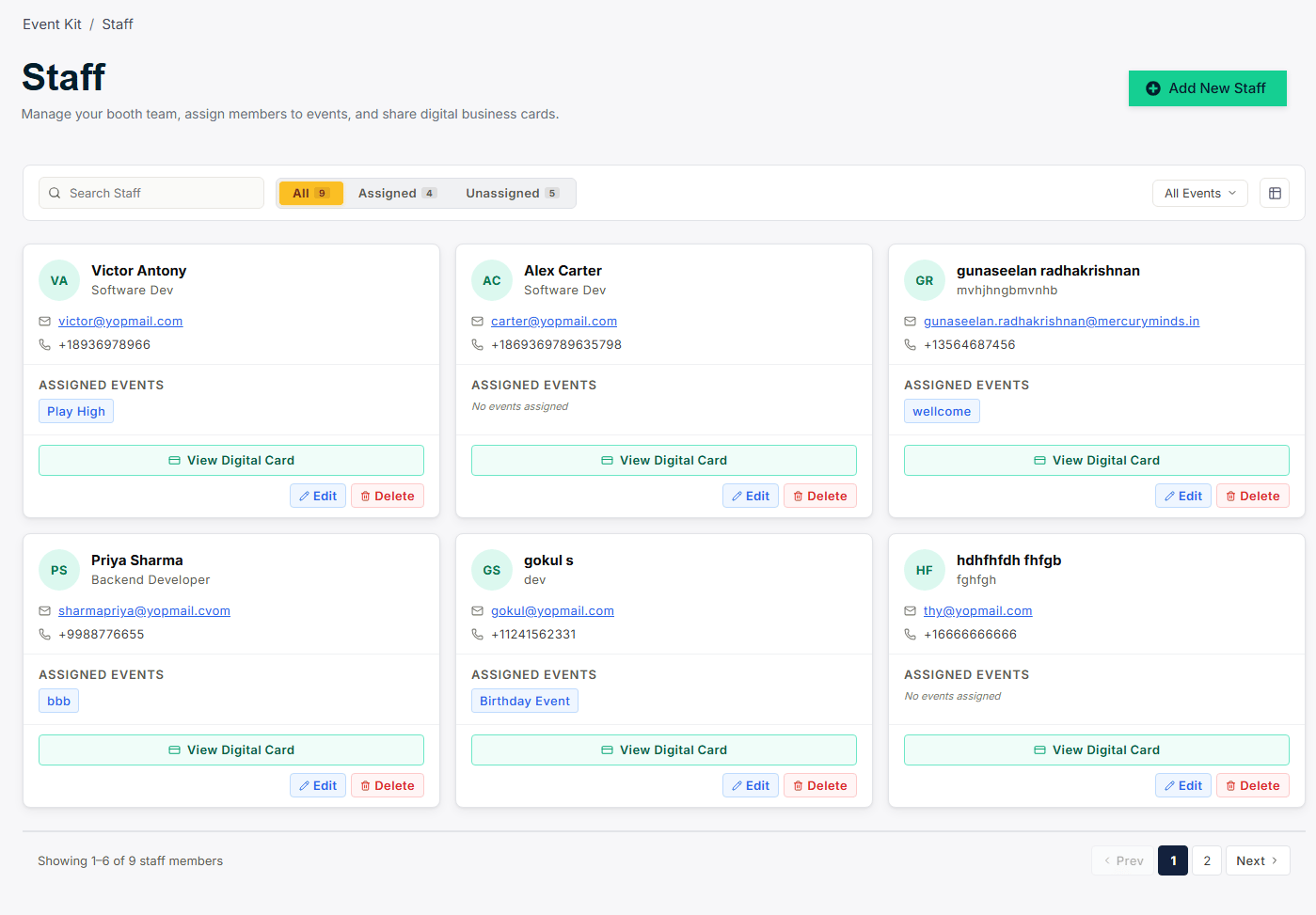
3.2 Adding a New Staff Member
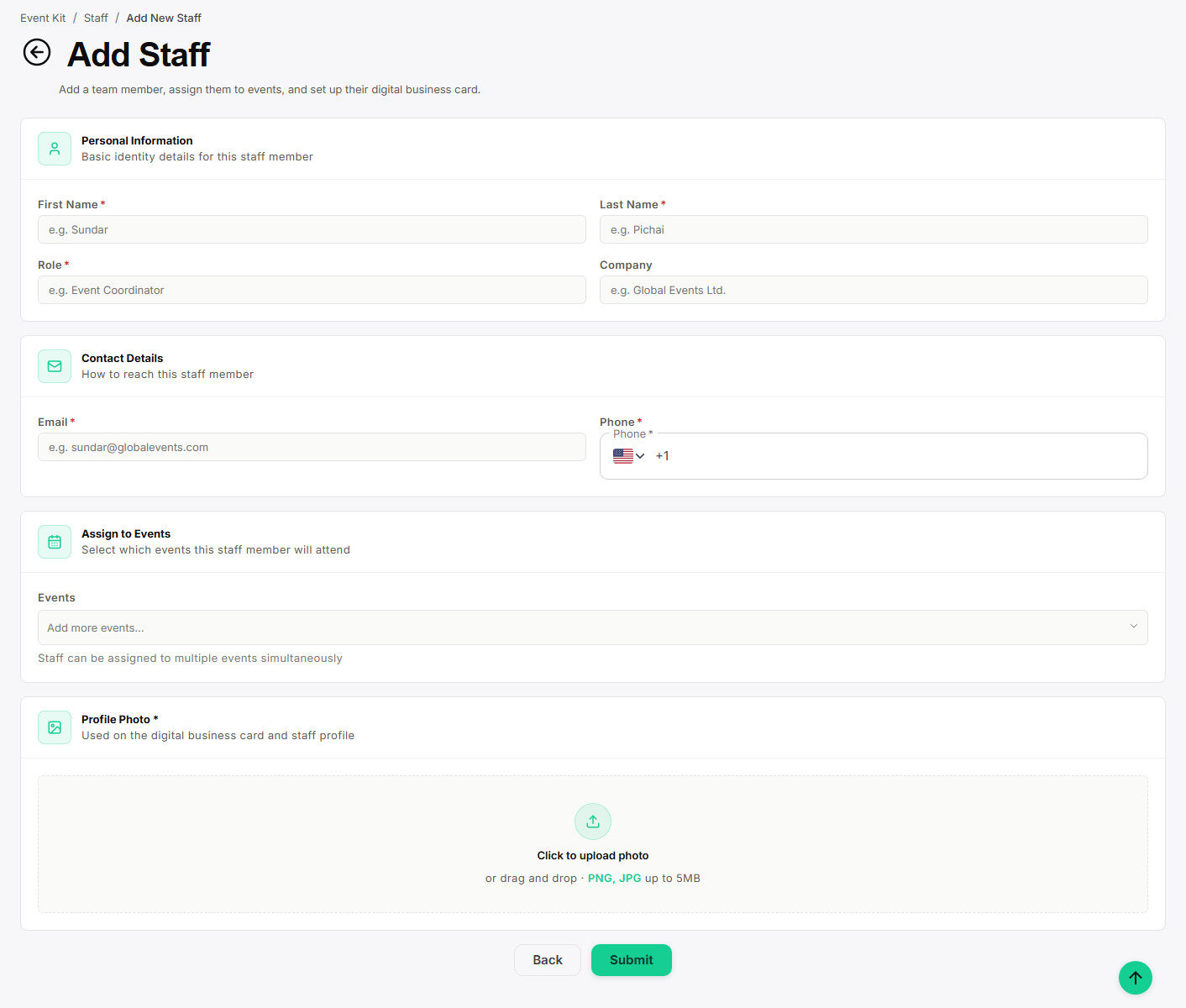
Click + Add New Staff:- Enter first name, last name, and job title.
- Enter email address (used as their login) and phone number.
- Select the events this staff member will attend.
- Choose role: Booth Manager or Field Staff.
- Click Save. They receive an email with login instructions.
3.3 Editing & Removing Staff
Click Edit on any staff card to update details, reassign events, or change their role. Click Delete to remove them — their login is deactivated immediately, but any contacts or meetings they captured remain intact.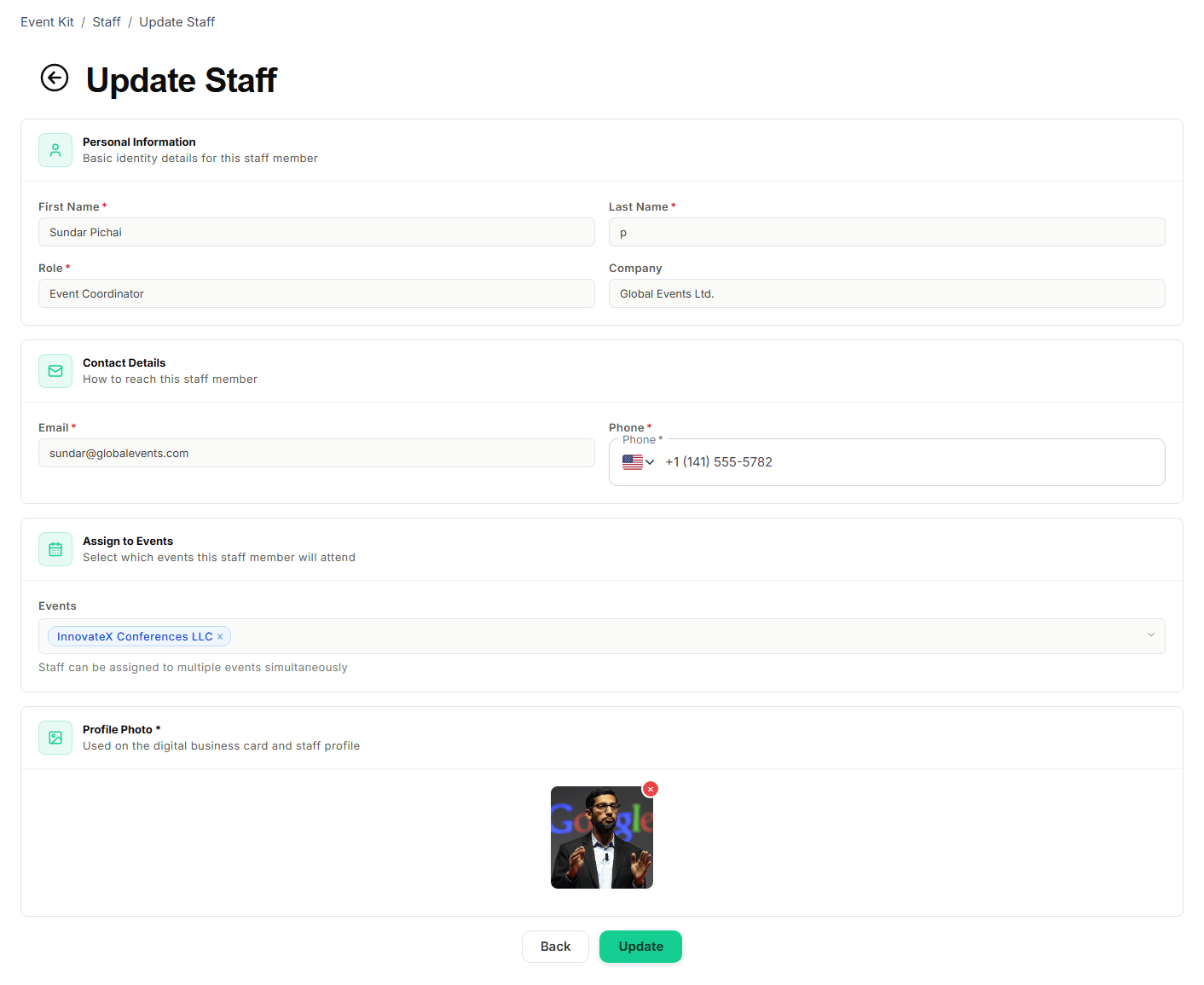
If a deleted staff member needs access again, create a new staff entry for
them.